
Catalogue app
Internal seniority lists
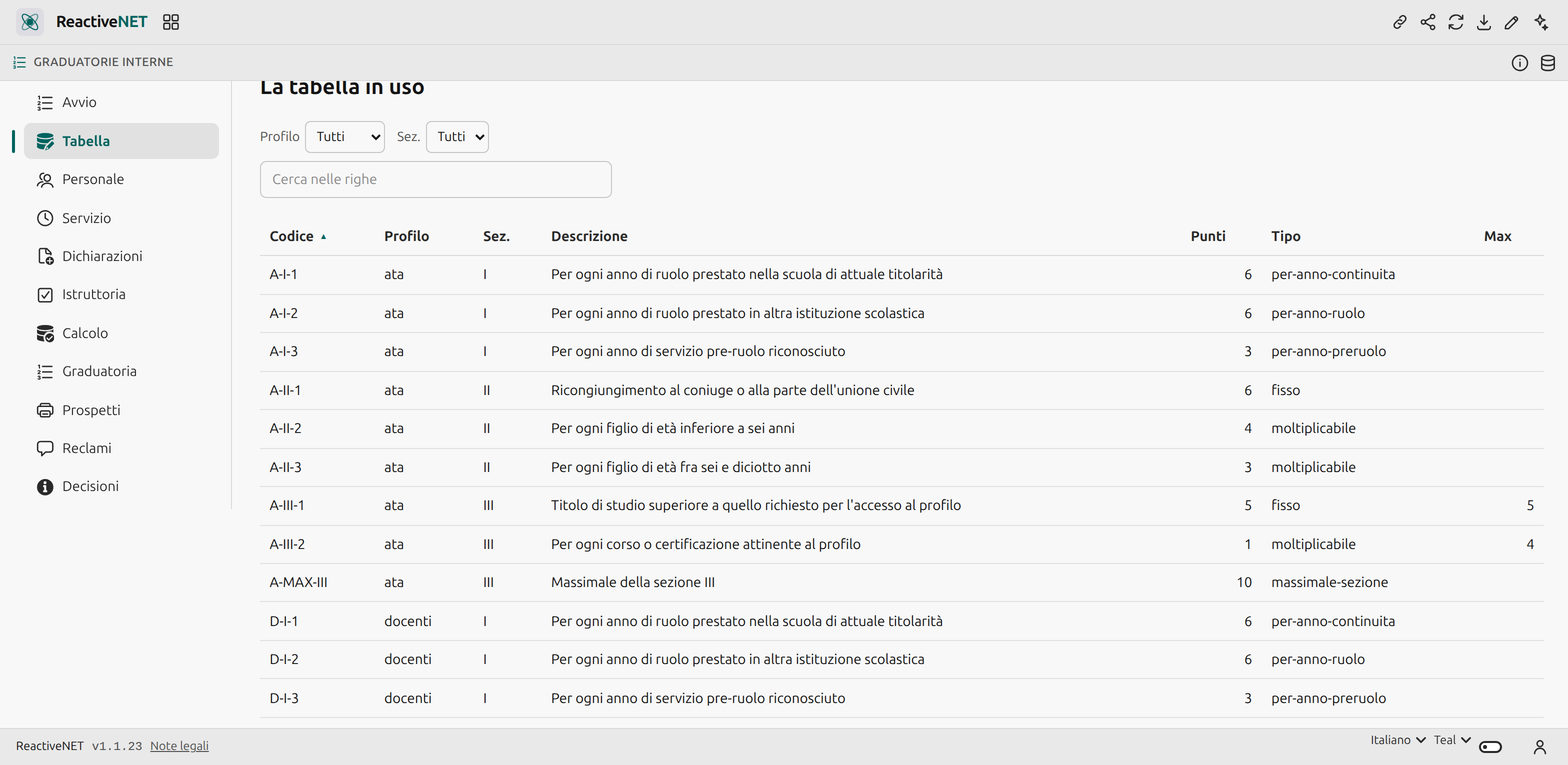
The scoring table changes with every national contract: so not one score is written into the program. Items, caps and legal references are rows you correct from the app — and every point awarded comes with a statement that justifies it.
The app travels inside the link: it opens in your browser and stays there. No account, nothing to install, and none of your data passes through a server.
The app is written in Italian, for Italian schools and their terminology. Everything below describes what it does.
The problem
Every year each Italian school must form the internal seniority lists of its established staff, to identify who is surplus if the staffing allocation shrinks. Today it is done with paper forms and a spreadsheet rebuilt from scratch each time: slow, full of transcription errors, and fragile when an appeal arrives.
The decision everything rests on
The scoring table is data, not code. It is rewritten by every renewal of the national agreement, the annual order changes its details, and the teachers’ table is not the support staff’s. Here it is a collection: items, sections, points, types, caps, legal references — corrected from a page of the app. A row with an existing code replaces the built-in one; with the points left empty, it switches it off.
The seeded table is a realistic unofficial example, to be checked against the agreement in force. That check is exactly the work this app lets you do once instead of every year.
What it does
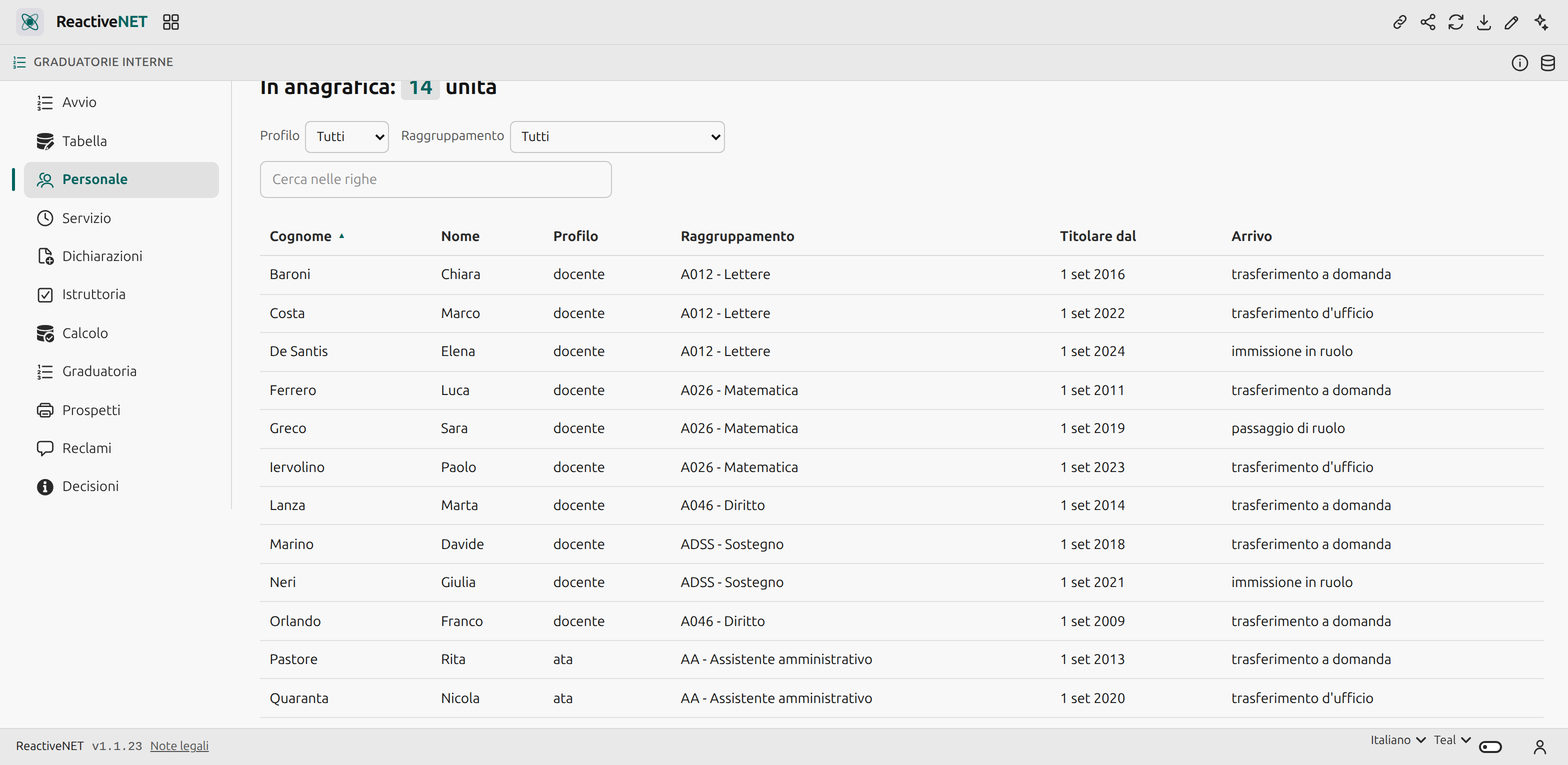
Service is computed. Continuity in the school is not declared: it is derived from the date of establishment, one year per school year. Only the rest is declared — pre-tenure service, other schools, hardship posts.
Every point has a reason. The individual statement shows, line by line, the item, the quantity, the unit score, the cap applied and the legal reference. You print it, and with it you answer an appeal. Section caps produce a line of their own: a point removed silently is the first thing that becomes a dispute.
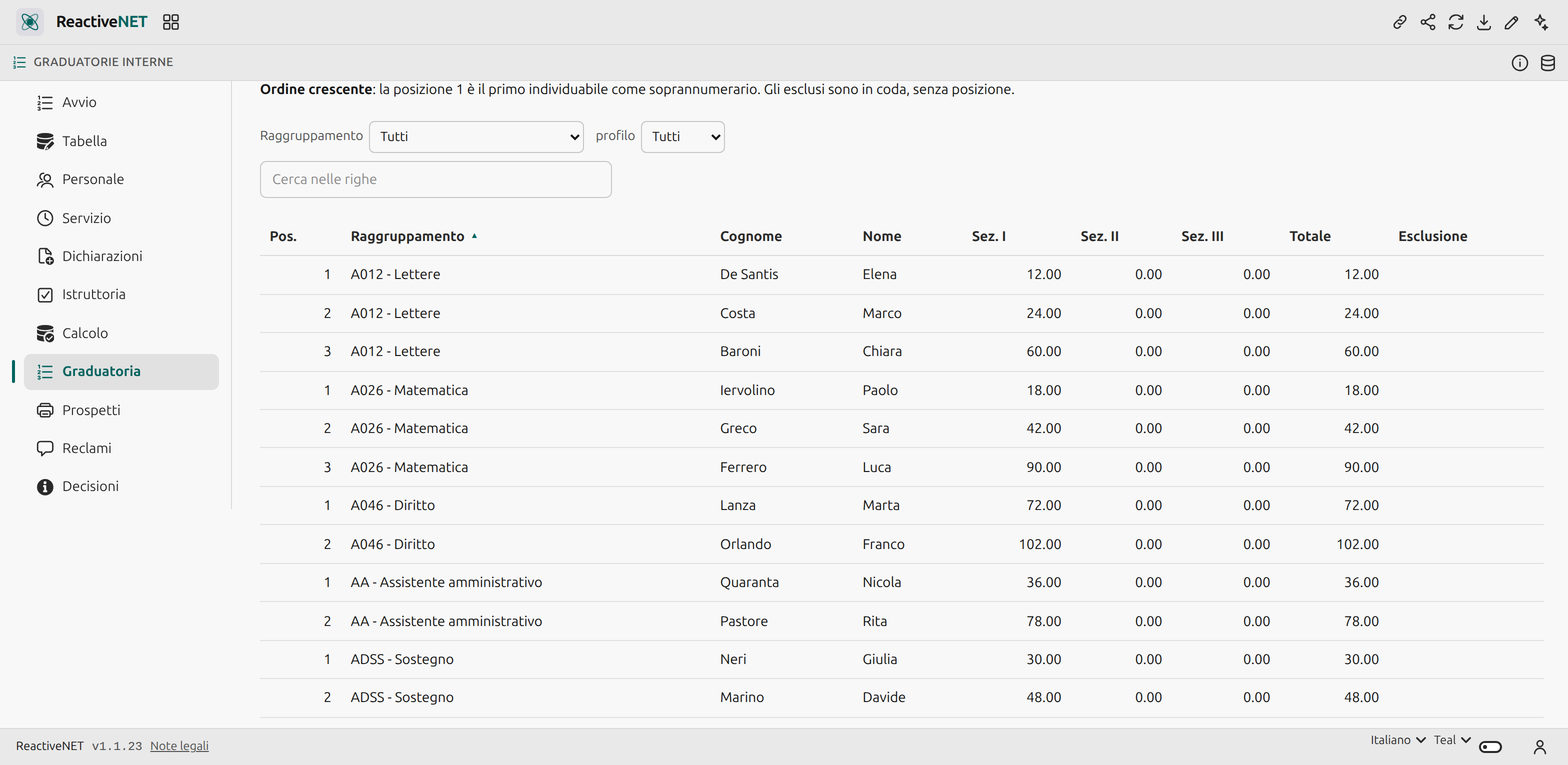
The list is ascending, and the app says so: position 1 is the first person who can be identified as surplus. It is counter-intuitive and it is the most common mistake in this area.
Review annotates, it does not rewrite. Confirmations, motivated corrections and rejections are separate rows, so what the person declared and what the school recognised both stay on the record. A separate check flags overlapping service, out-of-scale quantities, items from the wrong staff category and missing declarations.
Carrying over from last year takes only the permanent items from the archive and lets the rest lapse — family circumstances expire by definition.
The publishable document carries surname, first name, scores and position, and nothing else.
No health data
There is no field anywhere in this app for a condition or a diagnosis. An exclusion is recorded as the legal category that grants it, and the publishable document does not even carry that.
What it does not do, and says so
It does not talk to the ministry’s systems, does not archive to legal standards, does not sign anything digitally, and does not identify the surplus member of staff for the head teacher. It has no per-role access control: whoever opens the app sees all of it, and where roles must be separated the answer is the platform’s shared spaces. A Decisions page lists the choices made where the rules are ambiguous — and says they are choices, not readings of the law.
Yours to change
An app is a Markdown document: open it, edit it by hand, or ask the assistant to change it for you. Whatever you add stays on your device.